
Category: Databases
-
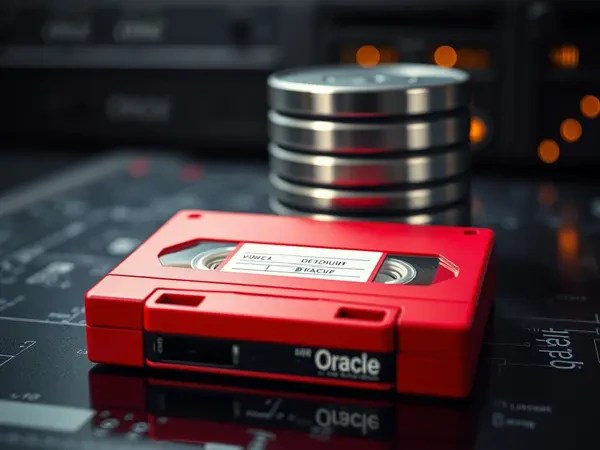
Backing up to a fake tape (SBT) in Oracle RMAN and using sbttest tool
This content discusses simulating tape backups using RMAN and a dummy SBT library (oracle.disksbt) to troubleshoot backup failures. The article details how to perform fake tape backups with Oracle’s disk-based SBT library, effectively isolating issues within the Oracle layer or the vendor’s Media Management Library (MML). It also introduces the sbttest tool for assessing media manager installation and its usage with Oracle Test Disk API.
-

Ping Checks Life, tnsping Checks Purpose #JoelKallmanDay
The content explains various Oracle connectivity testing utilities: ping, tnsping, ociping, connping, and adbping. It honors Joel Kallman, a key figure in database development. The document details how each connectivity utility functions, emphasizing their roles in troubleshooting connection issues and measuring latency, providing practical examples and outcomes for effective database management and performance evaluation.
-

New Exachk Criterion: Hardware Assisted Resilient Data (HARD) Validation During ASM Relocation
The recent analysis of an Exachk report revealed a new check for Hardware Assisted Resilient Data (HARD) capability during the ASM Relocation (rebalance, resync, or resilver) process. HARD checks validate data integrity in Exadata storage servers, preventing corruption. Setting the content.check attribute of asm diskgroup to TRUE will enable Hardware Assisted Resilient Data (HARD) Validation During ASM Relocation. This change aligns with Exadata best practices for improved data protection.
-

Deploy Oracle Autonomous Database on your Computer
Oracle Autonomous Database can be deployed locally on a laptop using container platforms such as Docker or Podman, offering features similar to those available in the Oracle Cloud Infrastructure (OCI) Autonomous Database (ADB). Images are available for both ADW (Autonomous Data Warehouse) and ATP (Autonomous Transaction Processing) workloads. In this post, the deployment is demonstrated on the ARM-based Apple Macs, which requires configuring Docker along with Rosetta. Users can access the database via REST APIs and manage it easily through the Database Actions web interface, powered by Oracle REST Data Services (ORDS).
-

Oracle Database Patching with AutoUpgrade in Offline Environments
This post illustrates how to use AutoUpgrade to patch an Oracle Database to in environments without internet access, making it also suitable for isolated systems. It details steps such as creating necessary directories, copying setup files, running prechecks, applying patches, and performing post-upgrade operations. The AutoUpgrade utility automates many tasks traditionally handled manually by DBAs.
-

Downloading Oracle Patches with AutoUpgrade on Windows Behind a Proxy
In this blog post, I walk you through how to download Oracle patches using AutoUpgrade on a Windows host behind a proxy requiring authentication. The steps include configuring proxy environment variables, creating the necessary directory structure, importing SSL certificates into the Java truststore and setting up a keystore for My Oracle Support (MOS) credentials. Additionally, I share a workaround for a language-specific issue encountered when the Windows display language is set to Turkish, which will be fixed on the next release.
 Osman’s DBlog