
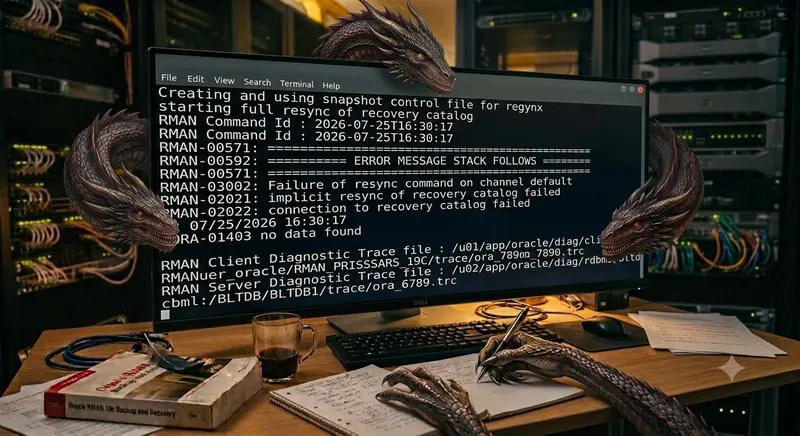
While registering an Oracle database with an RMAN recovery catalog, I encountered an unexpected ORA-01403: no data found error during the initial catalog synchronization. The REGISTER DATABASE command itself was correct, and the error message provided little indication of what was actually wrong.
After examining the RMAN trace files, I discovered that the failure was related to restore-point metadata in the multitenant database. In this article, I’ll walk through the error, the investigation, and the solution that allowed the registration to complete successfully.
Registering a database in an RMAN Recovery Catalog is pretty simple. All you need to do is connect to your target database, log into the recovery catalog, and run REGISTER DATABASE. RMAN takes the metadata from control file and writing the required stuff to its internal tables like NODE table and populating the data.
RMAN REGISTER DATABASE Fails During Catalog Synchronization
RMAN failed right away during the REGISTER DATABASE step because the initial full catalog resync couldn’t complete.
After connecting to both the target database and the Recovery Catalog:
$ rman target / catalog RMAN_SCH/XXXXX@RCVCAT
I attempted to register the database.
RMAN> REGISTER DATABASE;
Investigating ORA-01403 in RMAN Trace Files
Failed with :
Creating and using snapshot control file for resync
starting full resync of recovery catalog
RMAN Command Id : 2026-07-25T20:29:17
RMAN Command Id : 2026-07-25T20:29:17
RMAN Command Id : 2026-07-25T20:29:17
RMAN-00571: ===========================================================
RMAN-00569: =============== ERROR MESSAGE STACK FOLLOWS ===============
RMAN-00571: ===========================================================
RMAN-03002: failure of show command at 07/25/2026 20:29:24
RMAN-03014: implicit resync of recovery catalog failed
RMAN-03009: failure of full resync command on default channel at 07/25/2026 20:29:24
ORA-01403: no data found
RMAN Client Diagnostic Trace file : /u01/app/oracle/diag/clients/user_oracle/RMAN_784532045_110/trace/ora_rman_90768_0.trc
RMAN Server Diagnostic Trace file : /u02/app/oracle/diag/rdbms/BLTDB/BLTDB1/trace/BLTDB1_ora_91054.trc
The error message provided no useful clues because the database had not even been registered in the Recovery Catalog. Therefore, the issue could not have been related to the Recovery Catalog metadata for that database. However, other possibilities remained, including corruption within the RMAN Recovery Catalog database itself, package version mismatches, or metadata inconsistencies, all of which were reasonable potential causes.
Here is the troubleshooting steps for me :
What REGISTER DATABASE Does :
Although REGISTER DATABASE appears to be a simple command, RMAN performs much more work behind the scenes.
Before a database can be registered, RMAN executes an internal synchronization process to collect metadata from the target database. This includes information such as:
- Database identity and incarnation history
- Datafiles and tablespaces
- Archived redo logs
- Backup metadata
- Flashback-related metadata
Any failure during this synchronization prevents the registration from completing.
I used RMAN trace files to debug the issue.
Looking at the Trace File
Here is the related content from the trace file.
[oracle@blt01(BLTDB1) ~]$ cat /u01/app/oracle/diag/clients/user_oracle/RMAN_784532045_110/trace/ora_rman_90768_1.trc
…
DBGRESYNC: channel default: Calling checkGuaranteedRP MY_RP_PDB_AFTER_KEY [20:29:24.948] (resync)
DBGMISC: EXITED krmztrc [20:29:24.948] elapsed time [00:00:00:00.000]
DBGRPC: krmxrpc – channel default kpurpc2 err=1403 db=rcvcat proc=RMAN.DBMS_RCVCAT.CHECKGUARANTEEDRP excl: 69
DBGRPC: krmxrpc – channel default kpurpc2 err=0 db=rcvcat proc=RMAN.DBMS_RCVCAT.CANCELCKPT excl: 0
DBGRPC: krmxrpc – channel default kpurpc2 err=0 db=target proc=SYS.DBMS_BACKUP_RESTORE.CFILEUSECURRENT excl: 0
DBGMISC: ENTERED krmztrc [20:29:24.958]
DBGPLSQL: EXITED resync with status ORA-100 [20:29:24.959]
DBGMISC: EXITED krmztrc [20:29:24.959] elapsed time [00:00:00:00.000]
DBGRPC: krmxr – channel default returned from peicnt
DBGMISC: ENTERED krmstrim [20:29:24.959]
DBGMISC: Trimming message: ORA-01403: no data found [20:29:24.959] (krmstrim)
DBGMISC: ORA-06512: at “RMAN.DBMS_RCVCAT”, line 7027 (krmstrim)
DBGMISC: (69) (krmstrim)
DBGMISC: EXITED krmstrim with status 0 [20:29:24.959] elapsed time [00:00:00:00.000]
DBGRPC: krmxr – channel default got execution errors (step_60)
DBGRPC: krmxr – exiting with 1
DBGMISC: krmqexe: unhandled exception on channel default [20:29:24.959]
RMAN Command Id : 2026-07-25T20:29:17
DBGMISC: Dumping Server Traces for chan default [20:29:24.960]
Root Cause: Restore Point Metadata
One section immediately stood out for me:
Calling checkGuaranteedRP
proc=RMAN.DBMS_RCVCAT.CHECKGUARANTEEDRP ORA-01403: no data found
The trace showed that the failure occurred while RMAN was executing an internal procedure responsible for processing Guaranteed Restore Point metadata during the catalog synchronization.
Although Oracle does not publicly document the implementation of this internal package, the procedure name itself provided an important clue about where to continue the investigation.
I have queried for the restore points since it was failing while processing them.
Investigating Restore Point
In this environment, the target for the Recovery Catalog registration was the CDB. Registering the PDB directly was not an option because RMAN requires Virtual Private Catalog (VPC) support when ORACLE_PDB_SID is set and the target database is a pluggable database. As a result, the RMAN session was intentionally connected to the CDB root, and the REGISTER DATABASE command was executed from there.
I queried the restore points.
SQL> select name from v$restore_point;NAME--------------------------------------------------------------------------------MY_RP_PDB_AFTER_KEY
There was a restore point taken for a pdb, this was preventing the registration.
During Recovery Catalog registration, RMAN processes restore point metadata across the CDB, including PDB restore points. In this case, processing that metadata resulted in an internal ORA-01403 (NO_DATA_FOUND) exception within RMAN.DBMS_RCVCAT.CHECKGUARANTEEDRP, causing the entire registration to fail.
Resolving the RMAN Registration Failure
After confirming that the restore point was no longer required, I removed it and retried registration. This time, it has been successful.
SQL> ALTER SESSION SET CONTAINER=BLTPDB;SQL> DROP RESTORE POINT MY_RP_PDB_AFTER_KEY;
In this case, the key to resolving the problem was not the error stack itself but the internal procedure identified in the RMAN trace. That single clue redirected the investigation toward restore point metadata, and finally allowed the database registration to complete successfully for me.
Important: Before dropping a restore point, verify whether it is still required for recovery, flashback operations, or an ongoing maintenance activity. In this case, removing the problematic restore point resolved the RMAN catalog synchronization failure, but the same action should not be applied blindly to every ORA-01403 error. An ORA-01403 error in RMAN does not always indicate the same underlying problem. In another incident, I encountered the error while allocating an SBT_TAPE channel after a database upgrade. That failure was related to recovery catalog compatibility rather than restore-point metadata. See my article, Troubleshooting RMAN ORA-01403 When Allocating an SBT_TAPE Channel, for the investigation and resolution.
Hope it helps.


Leave your comment