
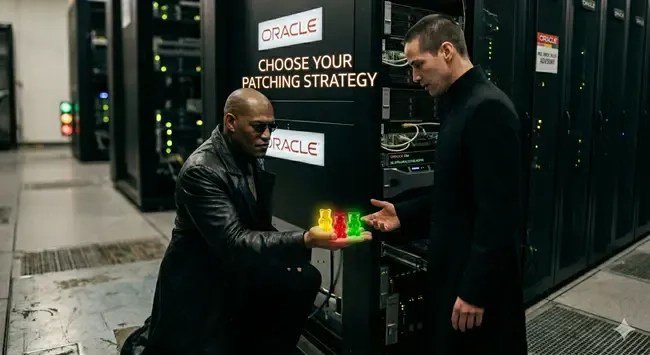
INTRO: We Have Execution Methods, Not Reasoning Until Oracle Update Advisor (OUA)
For years, one of the biggest differences between a junior DBA and a senior DBA has never been simply applying patches. Patch application itself is mostly a repeatable operational process, a skill gained through practice and experience. Over the years, Oracle and automation tools like Ansible have given us incredibly capable execution mechanisms:
And these tools are quite good at what they do. They run steps, validate prerequisites, orchestrate change. But notice what they do not do:
They do not decide whether the change to stay current release or apply a new patch itself is a good idea according to the organization needs. (GOOD – GREEN, ACCEPTABLE – YELLOW, BAD – RED)
The real challenge starts before the patching window even begins.
A senior DBA or database team leader is expected to decide which version should be adopted, when it should be adopted, and whether the organization is truly ready for it. Those decisions require understanding the current environment, organizational standards, application dependencies, business expectations, and the constant pressure coming from security and vulnerability scanning tools demanding everything to stay on the latest release.
Now imagine if those upgrade and patching decisions, normally living only inside the DBA’s mind, could be formally defined, evaluated, and validated automatically against the characteristics of your own organizational rules. Like your own internal DBA intuition being transformed into an assessment engine. That is exactly where Oracle Update Advisor enters the picture.
Now, let me introduce it to you.
Oracle Update Advisor:
In simple terms, Oracle Update Advisor examines your Oracle AI Database, Grid Infrastructure home, or gold image and checks how well it matches Oracle’s recommendations. By default, Oracle Update Advisor gives you three easy-to-understand status indicators for your Oracle home: Green, Yellow, Red:
🟢 Green: No action needed. Your system is fully updated in accordance with Oracle-recommended best practices.
🟡 Yellow: Update recommended. Typically, this status indicates that your Oracle software is one Release Update (RU) cycle behind the recommended release.
🔴 Red: Update required. This status indicates that your Oracle software is more than one RU cycle behind recommendations, or that it is missing critical security and application fixes.
What makes it more interesting is that the evaluation is not limited to Oracle’s defaults. You can shape the assessment according to your own operational approach by defining a maintenance policy. For example, you may choose how frequently your organization applies updates: monthly, quarterly or even annually and also decide how closely you want to follow the latest Release Updates, whether staying fully current or intentionally remaining one or two RUs behind for stability reasons. It is documented in “Oracle AI Database Patch Maintenance Guidelines Release 26ai – Streamlining Your Update Experience with Oracle Update Advisor ” document.
Oracle Update Advisor is integrated into DBCA and Fleet Patching and Provisioning (FPP), and is also available via dbcactl, the lightweight DBCA utility. It is even extended into the upgrade teams’ precious tool – AutoUpgrade – bringing the same advisory capability into the upgrade workflow itself.
Now lets leave stage to him.
Using dbcactl in a Single-Instance Oracle Database Environment (23.4.0.24.05)
I will demonstrate how to use this feature on a sample Oracle Database 23ai environment. 23.4.0.24.05
In this case, the DBCA binary available in the current ORACLE_HOME does not support the new capability. For this reason, we will use the standalone dbcactl utility instead.
Download the package p6789999_254100_Linux-x86-64.zip (version 25.4) and place it on the database server in a directory outside of ORACLE_HOME. Ensure it is owned by the oracle user, extract it and set your ORACLE_HOME.
[oracle@oradev01 ~]$ unzip p6789999_254100_Linux-x86-64.zipArchive: p6789999_254100_Linux-x86-64.zip inflating: README.txt inflating: dbcactl[oracle@oradev01 ~]$ ./dbcactl --helpLoading DBCA...*** ORACLE_HOME Not Set! Set and export ORACLE_HOME, then re-run ORACLE_HOME points to the main directory that contains all Oracle products. [oracle@oradev01 ~]$ export ORACLE_HOME=/opt/oracle/product/23ai/dbhomeFree
Now we will register our Oracle MOS SSO user for Oracle Update Advisor.
[oracle@oradev01 ~]$ ./dbcactl -managePatches -silent -registerUser -ssoUserName insanedba@myorg.com -csiNumber 9999999Loading DBCA...Session ID of the current execution is: 1-----------------Running Initialization jobEnter SSO User password:Completed Initialization job33% complete-----------------Running Validate_inputs jobCompleted Validate_inputs job67% complete-----------------Running Register_sso_user jobCompleted Register_sso_user job100% completeLook at the log file "/opt/oracle/cfgtoollogs/dbca/silent.log_2026-05-19_11-34-11PM_5182" for further details.
Now, let’s inspect our unpatched Oracle Database 23ai environment to see what status color it reports:
[oracle@oradev01 ~]$ ./dbcactl -managePatches -checkPatchStatus -silentLoading DBCA...Session ID of the current execution is: 2-----------------Running Initialization jobCompleted Initialization job33% complete-----------------Running Validate_inputs jobCompleted Validate_inputs job67% complete-----------------Running Check_patch_status jobCompleted Check_patch_status job100% complete---------- COMMAND OUTPUT ----------{ "softwareHealth" : "RED", "comment" : "Installed version is out of recommendation compliance.", "recommendedVersion" : "23.26.2.0.0"}---------- END OF COMMAND OUTPUT ----------Look at the log file "/opt/oracle/cfgtoollogs/dbca/silent.log_2026-05-19_11-35-05PM_5341" for further details.
Software Health is RED. Installed version is out of recommendation compliance. We are far away from the Recommended version is 23.26.2.0.0. We can download gold image dbcactl -managePatches -downloadGoldImage.
Now i will show how to use it with a Oracle Real Application Clusters (Oracle RAC) Database.
Using rhpctl in a Oracle RAC Database Environment (19.30)
To use rhpctl, you must either have an Oracle Fleet Patching and Provisioning (FPP) Central Server , or run FPP in Local Mode with a properly configured local setup. If you are not using GIMR, this component is not enabled by default. You can refer to my blog post “How to Configure RHP Server for Oracle FPP Local Mode in 19c Oracle RAC” for steps to configure it later.
I have an Oracle Database 19c RAC environment (19.30) with the Oracle JavaVM (OJVM) Patch applied on top.
[oracle@blt01 ~]$ $ORACLE_HOME/OPatch/opatch lspatches38523609;OJVM RELEASE UPDATE: 19.30.0.0.260120 (38523609)38632161;Database Release Update : 19.30.0.0.260120(REL-JAN260130) (38632161)29585399;OCW RELEASE UPDATE 19.3.0.0.0 (29585399)OPatch succeeded.
First we have to register our MOS account and CSI number.
[oracle@blt01 ~]$ /u01/app/19.30/grid/bin/rhpctl manage updateadvisor -registeruser -ssousername insanedba@myorg.com -csinumber 9999999
After registering our MOS account and CSI details via -registeruser, let’s run a baseline patch evaluation on our Grid Infrastructure home using Oracle Update Advisor defaults:
[oracle@blt01 ~]$ rhpctl evaluate patch -path /u01/app/19.30/gridblt01.localdomain: Audit ID: 7Performing software health check for home "/u01/app/19.30/grid".Software health status: "YELLOW"Software health comment: "One cycle behind your policy."Software Type: "GI"Current version: "19.30.0.0.0"Recommended version: "19.31.0.0.0"updateLag policy: LATEST (default)applyFrequency policy: QUARTERLY (default)
Our Grid Infrastructure software health status returns as YELLOW , because the default policy expects us to be on the absolute latest quarterly release (19.31.0.0.0).
However, this looks like somewhat exaggerated in real-life enterprise environments. In practice, this is still a well-maintained environment because it follows an N-1 patching strategy and a controlled patch lifecycle.
What if Oracle Update Advisor could better understand operational reality?
For example:
we intentionally patch every six months,
we follow an N-1 strategy,
and our organization has its own maintenance and risk-management policies.
In such environments, a system that is one Release Update behind may still be fully compliant with internal operational standards, security reviews, and change-management processes.
Lets simply recheck our environment:
[oracle@blt01 ~]$ rhpctl evaluate patch -path /u01/app/19.30/grid -applyfrequency HALF_YEARLY -updatelag LATEST-1blt01.localdomain: Audit ID: 8Performing software health check for home "/u01/app/19.30/grid".Software health status: "GREEN"Software health comment: "Software meets recommendation"Software Type: "GI"Current version: "19.30.0.0.0"updateLag policy: LATEST-1applyFrequency policy: HALF_YEARLY
Voila, now it reports as GREEN. Oracle Update Advisor finally speaks the same language as we do.
And imagine this: the cybersecurity team also simply run this command weekly and monitor whether the software health status changes.
You may say:
What a wonderful world.
Hope it helps.


Leave your comment